How Often Should You Update Your Website?

How often should you update your website? There is no magic number. I do not think businesses need to redesign their websites every two or three years simply because a certain amount of time has passed. A website can be several years old and still work well if the structure is solid, the content is accurate, and it still represents the business.
On the other hand, a relatively new website can already need attention if the business has changed significantly since it was built.
The question I would ask instead is:
Does your website still represent the business you have today?
Your business may have grown, your services may have changed, your target audience may be different, or you may have niched down since the website launched.
If your website is still presenting an older version of the business, it is time to update it.
How Often Should You Review Your Website?
I recommend reviewing your website a few times a year.
That does not mean redesigning it a few times a year. Most of the time, you are simply checking that the information is still accurate and that the website continues to support your business.
I would also review the site anytime there is a meaningful change in the business.
Changes That Should Trigger a Website Review
Take another look at your website when you:
Add or remove a service
Change the way your services are packaged
Start targeting a different type of client
Niche down into a particular market
Expand into new locations
Complete stronger portfolio work
Add or remove team members
Change your inquiry or booking process
Reposition the business
Develop a new area of expertise
These changes do not automatically mean you need a redesign. They do mean your website should be checked to make sure it has kept up.
What Should You Update Regularly on a Website?
Some parts of a website change much more frequently than others.
Your logo and overall visual identity may stay the same for years, while your services, portfolio, testimonials, and messaging could change several times during that period.
Your Services
Services are one of the first things I would review. Make sure the website still reflects what you actually offer. Remove services you no longer want to promote and make sure newer services are not buried somewhere visitors will never find them.
If your services have grown significantly, you may also need additional pages rather than simply adding more copy to an existing page.
Your Portfolio
Your portfolio should represent the level of work you are doing now. If your strongest work was completed within the last year or two but your website is still leading with much older projects, update it.
The work you feature also influences the work you attract.
If you have niched down or want more of a particular type of project, your portfolio should support that direction.
Your Messaging
The language on your website should reflect who you want to work with today. This is particularly important if your target audience has changed. A business may start out speaking to a very broad audience. Over time, you learn which clients are the best fit and where your expertise is strongest.
If you eventually niche down, your website should become more specific too. Your old messaging may still be accurate in a technical sense, but it may no longer be doing a good job of attracting the clients you want now.
Your Business Information
There are also basic updates that are easy to overlook.Check that your team information, locations, contact details, hours, credentials, awards, and other business details are still correct. These are small changes, but outdated information makes a website feel neglected quickly.
Does an Old Website Automatically Need a Redesign?
No.
Age by itself is not a good enough reason to redesign a website.
If your five year old website is organized well, explains your services clearly, supports the customer journey, and still represents the business accurately, I would not recommend replacing it simply because it has reached a certain age.
I would rather keep the strong foundation and update the pieces that actually need attention.
A Well Organized Website Is Easier to Update
This is one of the advantages of planning the structure properly when a website is built. A good website should have room to grow. You should be able to add a new service, project, location, or team member without having to rethink the entire site every time the business evolves.
When the foundation is strong, smaller updates can extend the life of a website considerably.
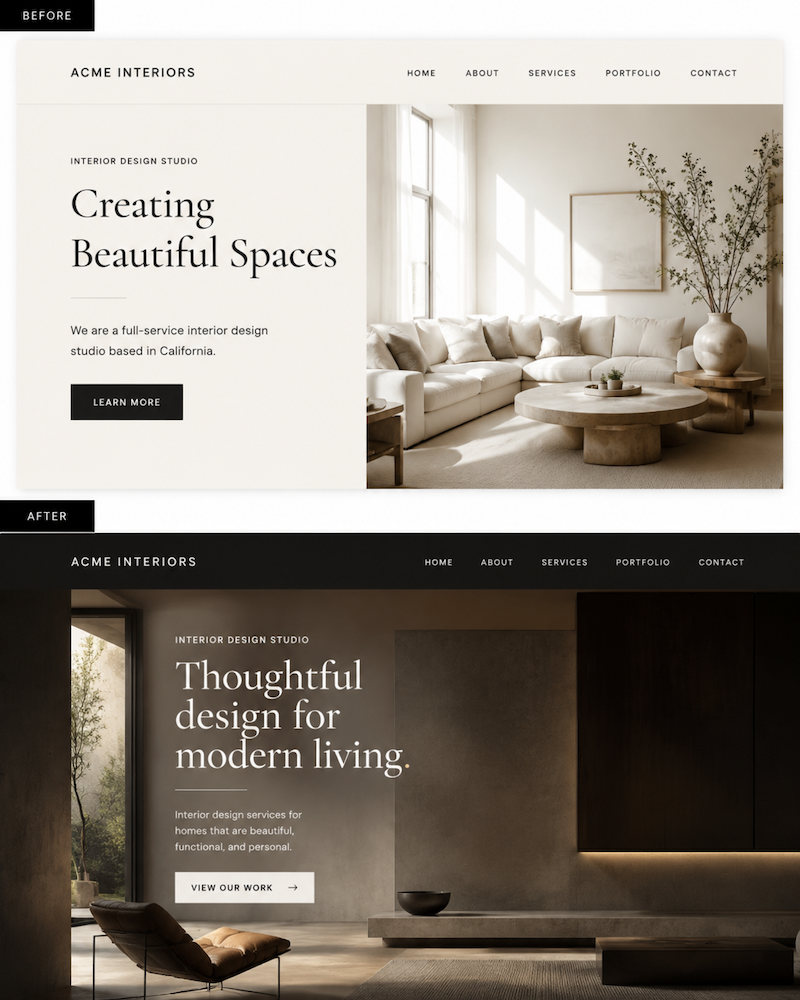
When Are Small Website Updates Enough?
Small updates are usually enough when the overall structure still works. Visitors can find what they need. Your services are organized logically. The navigation makes sense. There is a clear path from learning about the business to taking the next step. In that situation, I would update the specific areas that have changed rather than redesigning everything.
Examples of Smaller Website Updates
You might:
Add a new service page
Add location pages
Replace older portfolio projects
Update photography
Rewrite outdated messaging
Add recent testimonials
Update team information
Change calls to action
Remove old services
Add a case study
The goal is to solve the actual problem.
If the website needs three new pages, add three new pages. It does not automatically need an entirely new design.
A Real Example: Adding Location Pages Instead of Redesigning
One of my clients is a jeweler in the East Bay who buys and sells gold jewelry. His website did not need to be completely rebuilt. What we identified instead was an opportunity to strengthen the site around the different areas he serves.
The Right Update Was New Location Pages
We added individual location pages targeting different East Bay communities. That gave the site more useful content for people searching for his services in those specific locations without unnecessarily rebuilding a website that already had a workable foundation. This is a good example of why I do not start with the assumption that every older website needs a redesign. Sometimes the smartest update is very specific.
Live Site Here → https://www.coasttocoastjewelrybuyers.com/
When Does a Website Need a Full Redesign?
A full redesign becomes more appropriate when the problem is no longer limited to a few pages.
If the business has grown significantly and the existing website structure cannot accommodate that growth clearly, continuing to patch the old site can eventually make it harder to use.
Signs the Website Has Outgrown Its Structure
A larger redesign may make sense when:
Your navigation no longer makes sense
Services have been added in random places
Visitors have difficulty finding important information
Your audience has changed significantly
You have niched down but the entire site still targets a broad audience
Your pages no longer match the way the business operates
You have several different audiences that need different paths
The site has become difficult to expand without creating clutter
You hesitate to send potential clients to the website
At that point, you are not just updating information.
You are reorganizing the website around the business you have now.
A Real Example: When a Full Redesign Was the Better Choice
I worked with an event entertainment company where a small update would not have been enough. The business offered several different services and worked across weddings, corporate events, and private parties. They also had multiple artists that prospective clients needed to be able to explore. Trying to squeeze all of that information into the existing website would have made the site increasingly difficult to navigate.
We Reorganized the Website Around the Services
We created individual pages for the company's different services instead of trying to explain everything in one place. This gave each offering enough space to be understood properly.
We Created Different Paths for Different Events
We also created pages for weddings, corporate parties, and private events. A wedding client does not necessarily need the same information as someone organizing a corporate party. Giving those audiences their own paths made the site easier to explore.
We Created Individual Artist Pages
Each artist also received an individual page. Visitors could learn about a particular artist, see what they offer, and decide whether that person might be right for their event. In this case, the website needed a completely different information structure.
That is when a full redesign makes sense.
The business had outgrown the website.
Live Site Here → https://www.soundselevated.com/
Updating a Website and Redesigning a Website Are Not the Same Thing
I think this distinction is important.
An update improves a website that still has a good foundation.
A redesign changes the foundation because the existing structure is no longer supporting the business.
You Probably Need an Update If:
Your website is easy to navigate
Your services are already organized clearly
Most of the content is still accurate
You only need to add or revise a few pages
The site still reflects your brand
The customer journey still makes sense
You May Need a Redesign If:
Your site feels disorganized
The navigation has become complicated
Your services have changed substantially
Your ideal client is completely different
You have niched down significantly
You need several new types of pages
Visitors struggle to understand how everything fits together
That difference can save you from spending money on a redesign you do not actually need. It can also prevent you from continuing to patch a website that really does need a stronger foundation.
How Often Should You Update Your Website for SEO?
You do not need to constantly rewrite your website just to make Google think it is fresh. Website updates should have a purpose. For SEO, that may mean adding useful content when there is a genuine gap in what your site covers.
The East Bay jeweler is a good example. Adding location pages made sense because those locations were relevant to the business and to the way potential customers search.
Other businesses may discover that they need a new service page, a location page, or a more detailed explanation of an important offering.
The goal should be to make the website more useful and complete, not to change words simply because the page has been online for a while.
What Pages Should You Check First?
If you have not reviewed your website in a while, you do not need to inspect every sentence on every page at once. Start with the pages that matter most to potential clients.
Start With These Pages
Homepage
Main service pages
Portfolio or work
About page
Contact or inquiry page
Ask whether each page still reflects what the business does today. Then work outward from there. If you want to go deeper into what belongs specifically on a homepage, read 5 Sections Every Service Business Homepage Needs.
A Quick Website Update Checklist
A few times each year, ask yourself:
Are all of our current services represented?
Are we promoting services we no longer want?
Does the site speak to our current target audience?
Have we niched down since the site was created?
Are our strongest recent projects included?
Are our team and contact details current?
Are there new locations we should add?
Does the navigation still make sense?
Can visitors easily find the information they need?
Does the website still feel like the business we are today?
You do not need to change something simply because you reviewed it.
If it still works, leave it alone.
Not Sure Where Your Website Stands?
Take the 2 minute Website Checkup to see what’s working, what may be holding your website back, and where there’s room to improve.
So, How Often Should You Update Your Website?
Review your website a few times a year and update it whenever something important changes in the business. Do not redesign it because an arbitrary number of years has passed. If the foundation is strong, make focused updates and keep going.
If your services, audience, content, and business have changed so much that the existing structure no longer makes sense, that is when it is worth considering a full redesign.
If you are not sure which situation you are in, start with the Website Checkup. It can help you look at your current site more objectively and identify what actually needs attention.
If the website has clearly outgrown the business, you can also explore Studio Avia web design services to see the Foundation and Signature website options.
The goal is not to constantly change your website.
It is to make sure the website you have still supports the business you are building.
Ready to Update Your Website?
If your website no longer reflects your services, audience, or the level of your work, it may be time to make a few strategic updates or rethink the site more fully.
Studio Avia creates websites for service businesses that clarify your services, showcase your expertise, and help potential clients feel confident reaching out.
Explore Studio Avia web design services to compare the Foundation and Signature website packages and find the right fit for your business.
Frequently Asked Questions About Updating Your Website
-
A business website should be reviewed a few times a year and updated whenever important information changes. That may include services, team members, portfolio work, locations, messaging, or calls to action.
-
There is no fixed redesign schedule. A redesign makes sense when your website structure, navigation, messaging, or customer journey no longer supports the way your business operates.
-
Updating a website can support SEO when the changes make the site more useful. Adding relevant service pages, location pages, case studies, or more complete information can address gaps in what your website currently covers.
-
If the basic structure and navigation still work, focused updates may be enough. If your services, audience, and business have changed so much that the current structure is difficult to use or expand, a redesign may make more sense.